Microsoft Finally Kills OneNote 🪦


The Final Chapter for OneNote

Hey friends👋

As you might have heard, OneNote for Windows 10 will officially reach end of support on October 14, 2025.

For many of us, OneNote was the first note-taking app we used — and I have to say, I have great memories with it. It was simple, intuitive, and truly changed how we approached digital note-taking when it first launched.📝💡

But now, with this chapter closing, it’s time to look ahead. If you’re searching for a reliable and free alternative, here are my suggestions👇

Xtiles

Skill Level: 🟢 Beginner

Xtiles is an all-in-one workspace where you can organize notes and manage your projects and tasks. People refer to Xtiles as the baby of Notion and Miro, and it is somehow true.

It is a beautiful workspace to organize notes and manage your projects and tasks. With Xtiles, you can access your notes offline as well.

Xtiles' visual boards include tiles, which are the elements on a page to display and organize information.

It has a super-easy drag-and-drop interface, so you can create a tile of any size if you click on the canvas. You can add different types of content with Xtiles, such as text, lists, tables, images, videos, code, etc.

It's a beginner-friendly note-taking app, ideal for creatives. Here is a short video on how to get started with Xtiles in 5 minutes:

video preview

Notion

Skill Level: 🟡 Intermediate

I know, some of you already know Notion, but believe me, it is still new for many people. Notion is like a Swiss army knife; you can use it for many purposes.

It provides a centralized workspace where you can organize your thoughts, notes, tasks, projects, and documents in one place.

It is a sophisticated note-taking app that allows you to easily add and organize different types of content called blocks. In your notes, you can insert images, bookmarks, videos, code, a kanban board, and more by simply hitting the "/" button on your keyboard. I especially love the embedded functions.

Personally, I use its free plan, and it is totally sufficient for my own business.

Coda

Skill Level: 🟡 Intermediate

Coda has quite similar note-taking features to Notion. However, it has more advanced project management features, and it is a more user-friendly app than Notion, with a shorter learning curve.

They use blocks to structure your content. You can use different paragraph styles, add quotes, callouts, and more. If you click on the “/” tab, you can create blocks. When creating them, you can choose from many formats, from templates, text, tables, images, calendars, and so on.

Coda offers numerous view options that help to visualize dependencies, making the project planning and tracking much smoother. For example, it has tables, grids, boards, calendars, Gantt charts, and many other views.

While Coda is a capable note-taking app for individuals, it can be used as a lightweight project management app even for small businesses.

✅ Capacities

Skill level: 🔵 Advanced

Capacities is a visually beautiful note-taking app that is very capable but not overly complex. You can make customizable dashboards quickly, and I loved the navigation.

If you have tried other note-taking apps before, such as Notion or Obsidian, the features and navigation of Capacities will be quite familiar. However, you might have a long learning curve if you are new to these note-taking apps.

Similarly to Anytype, Capacities also follows an object-based note-taking system. This means there are no folders for your notes, but this note-taking app uses object types to categorize your information.

If you love this idea but Anytype is too complex for you, Capacities might be the best note-taking app for you.

Anytype

Skill level: 🔴 Expert

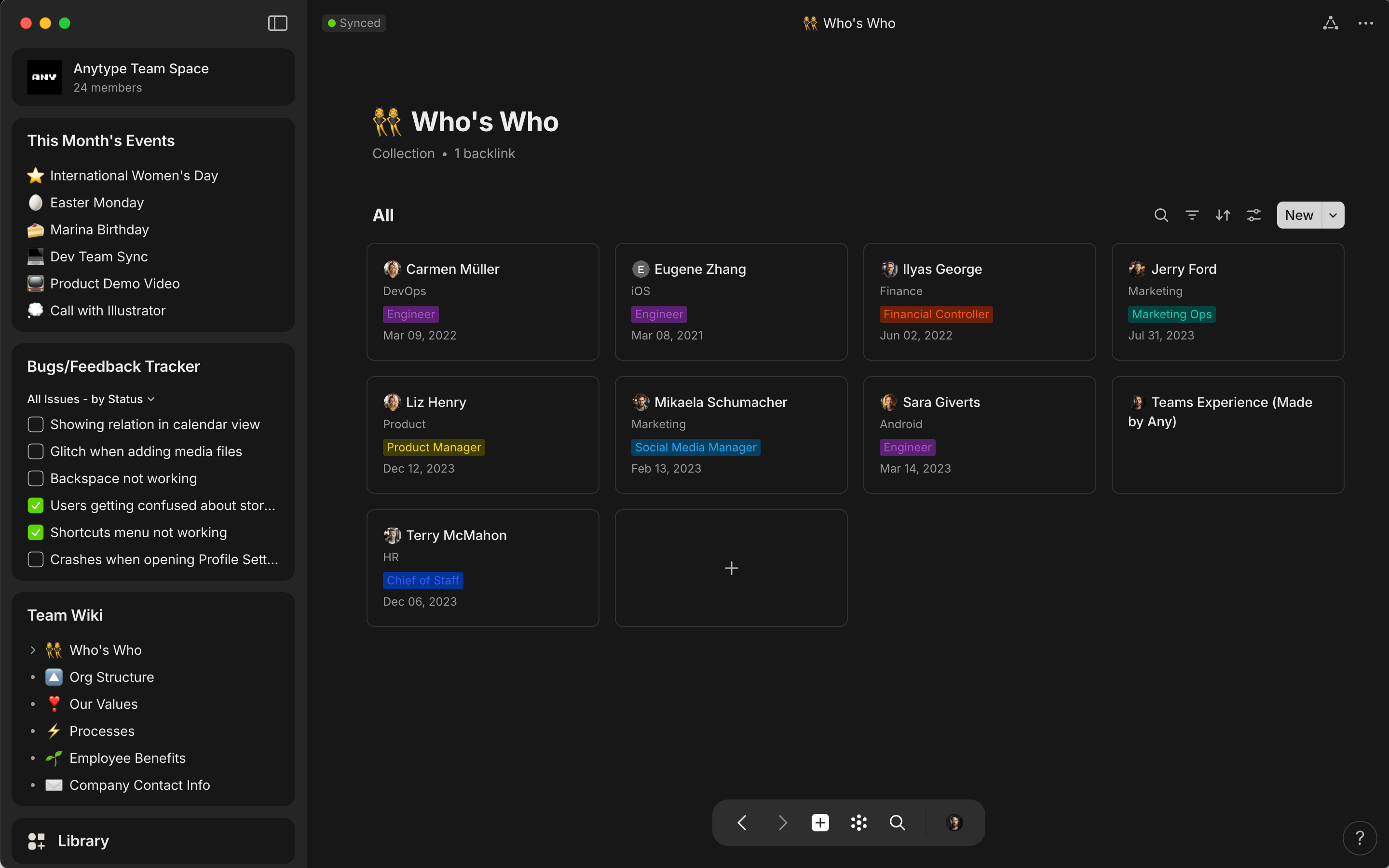
If Anytype is new to you, imagine it as a combo of Notion and Obsidian. It is a powerful all-in-one workspace that combines notes and databases in one platform. Compared to Microsoft OneNote, it has more robust note-taking capabilities, and you can access it without an internet connection using its offline mode from your devices, including your mobile.

Anytype offers maximum data privacy. It has local, on-device end-to-end encryption, and you are the only one with the key to the notes.

Anytype uses object-based note-taking. In the world of Anytype, everything you see and interact with is an object. Whether you add a page, image, text, file, or task, they are all objects in this note-taking app.

Similarly to Notion and Coda, you can quickly add an object if you press the “slash” button. Anytype uses types to categorize these objects, and you can connect them with links and relations. Using its mindmap feature, you can quickly overview the relations between your objects.

If you love challenges, Anytype will not let you down. Nevertheless, it is one of the most advanced note-taking apps that you can use for complex data and note management.

Heads-up: Next week, I will share a tutorial video on how to get started with Anytype without frustration in 15 minutes.

If you ever have questions or want a tool recommendation, hit reply — I read every message.

Cheers,

Aron

Thebusinessdive
Unsubscribe · Preferences

Thebusinessdive

On a mission to create the NUMBER ONE space for productivity tools. 🚀 With my website and YouTube channel, I reach over 25,000 - 35,000 individuals and teams every month. Subscribe and get access to:✅ Just the most useful apps I’ve tested—personally. No fluff, just tools that actually work✅ Exclusive discounts on top tools (limited-time offers) ✅ Early access to reviews, comparisons & productivity tips that save you hours ➕ Unlock the BEST productivity tools I’ve discovered after testing 100+ apps—handpicked for busy solopreneurs, business owners & small teams.

Read more from Thebusinessdive

Monthly Round Up✨ Top posts from this month Hey friends 👋 Spring is finally here 🌱 Everything feels like it’s starting fresh again — more energy, new ideas, and a good moment to reset what’s actually working (and what’s not). So this month, I focused on testing new tools, updating older reviews, and finding what’s actually worth using in 2026. As always, I filtered out the noise so you don’t have to. Let’s dive into the best stuff from this month 💎 Videos From April▶️ 5 Best PDF Editors 2026...

Monthly Round Up✨ Top posts from this month Hey friends 👋 This month was… honestly a bit crazy 😅 We welcomed our baby into the world 👶 (still feels unreal), so life has been a beautiful mix of no sleep, big emotions, and trying to figure everything out on the fly. At the same time, we did a huge restructuring on the website… which, of course, led to a few unexpected issues — including the site being down for a bit 🫠 So yeah… a lot going on behind the scenes. But now things are finally...

Monthly Round Up✨ Top posts from this month Hey friends 👋 February is usually when the excitement of the new year settles a bit — and we start figuring out which habits and tools are actually sticking 😅 Over the past month, I tested new productivity apps, updated a few older reviews, and compared which tools are actually worth using in 2026. As always, I filtered out the noise so you don’t have to. Here are the best posts, reviews, and videos from February 💎 Videos From February▶️ 5 Best...